Case Study

Sidebar Notepads

How I designed & built Sidebar Notepads: a Chrome extension that keeps your notes beside the page you're reading. Free to use with no sign-up, with a Pro plan for those who want more.

Sidebar Notepads
Sidebar Notepads
Chrome extension
Visit live product
Deliverables
Chrome extension
Free & Pro plans
Chrome Web Store listing
What I did
Research
UX & UI design
Development
Publishing
Built with
Chrome Side Panel API
Manifest V3
Google Drive API

The Challenge

I couldn't find an easy-to-use notepad that lives right in my browser, for jotting down details or passwords while researching or browsing. I tried several extensions, but none gave me the seamless experience I wanted: most meant switching to another app or tab, or the UI just wasn't friendly. I also tried Google Keep, but decided against it, as I mainly use it for storing important things.

The Solution

So I built the kind of notepad I would love to use daily: a Chrome extension that lives in the browser sidebar. Open it, type, and your notes are saved locally. The free version needs no account. Users who want Pro sign up with Google and upgrade to unlock Google Drive sync, voice-to-text and more.

The Result

Published on the Chrome Web Store as Sidebar Notepads PRO.

56
Users on the Chrome Web Store
4.8 / 5
Average rating
4
Ratings
v1.0.2
Current version
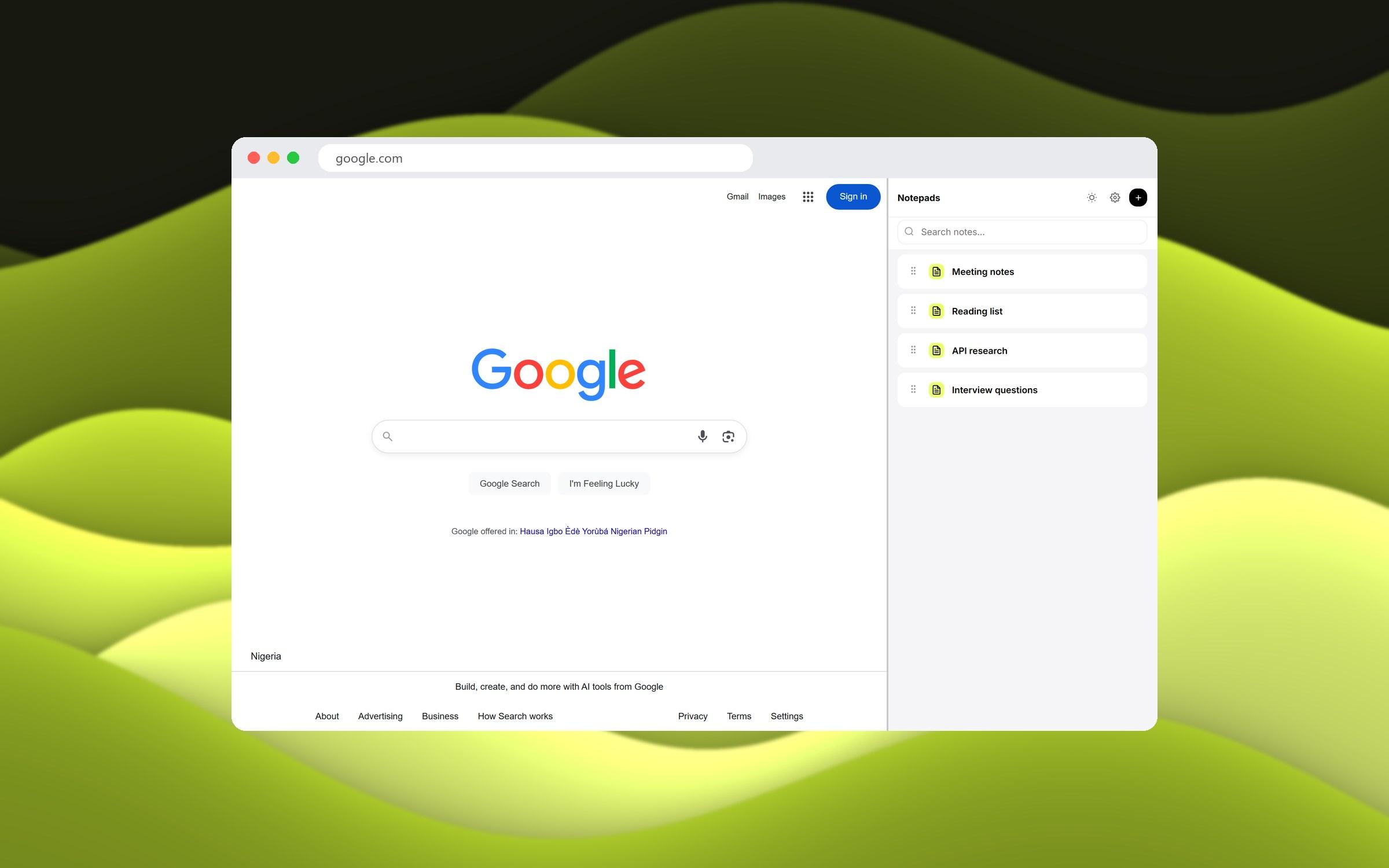
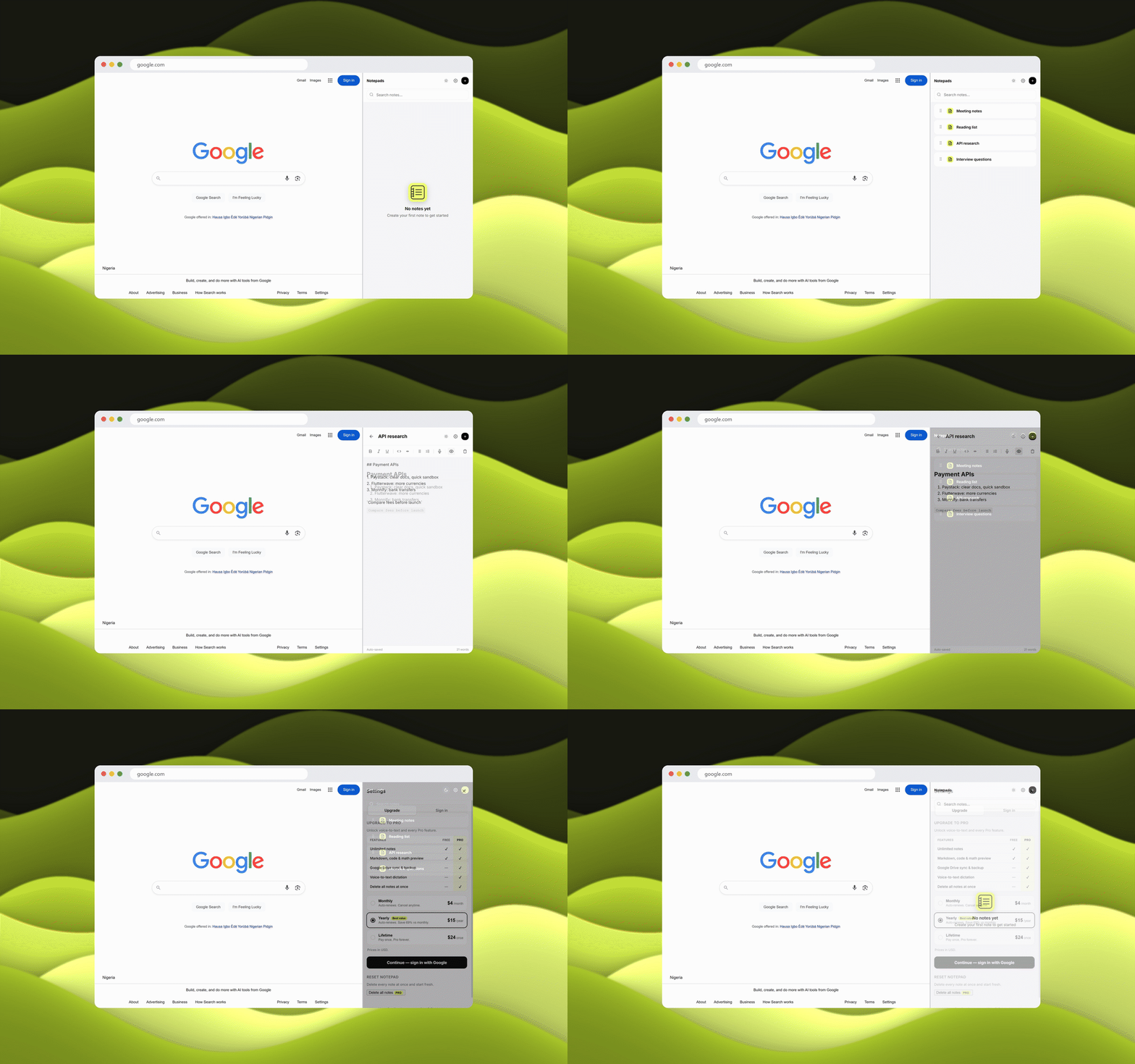
A quick demo: notes in the sidebar while reading a page.
Sidebar Notepads demo: the note list, editing a note, Markdown preview, dark mode and settings
01

The Research

I reviewed the popular note extensions and noted where each one got in the way.

Where note-taking broke

Switching
  1. – A separate notes app breaks your reading flow
  2. – A new tab pulls you away from the page
Sign-up
  1. – Most extensions ask for an account first
  2. – Cloud sync before the first note
Popups
  1. – Close as soon as you click the page
  2. – Take your half-written note with them
  3. – Some show as sticky notes but keep disappearing
Editors
  1. – Some editors are just bad to write in
02

Design decisions

Less effort than opening a sticky note.

No sign-up to start

Local storage is the default, so anyone can start writing immediately. Notes stay on the device with zero setup. Sign-up only comes in when someone wants Pro: they sign in with Google on the Sidebar Notepads site and upgrade to unlock Google Drive sync and voice-to-text.

How I set it up

Free
  1. – Unlimited notes
  2. – Markdown, code and math preview
  3. – Search across notes
  4. – Light and dark mode
Pro
  1. – Google Drive sync and backup
  2. – Voice-to-text dictation
  3. – Delete all notes at once
  4. – $4/month, $15/year or $24 lifetime
Stack
  1. – Chrome Side Panel API
  2. – Manifest V3
  3. – chrome.storage for local notes
  4. – Google Drive API for sync
03

How it works

Open, type, done.

[1] Notes list

Every note in one list with search at the top. Drag to reorder, tap to open.
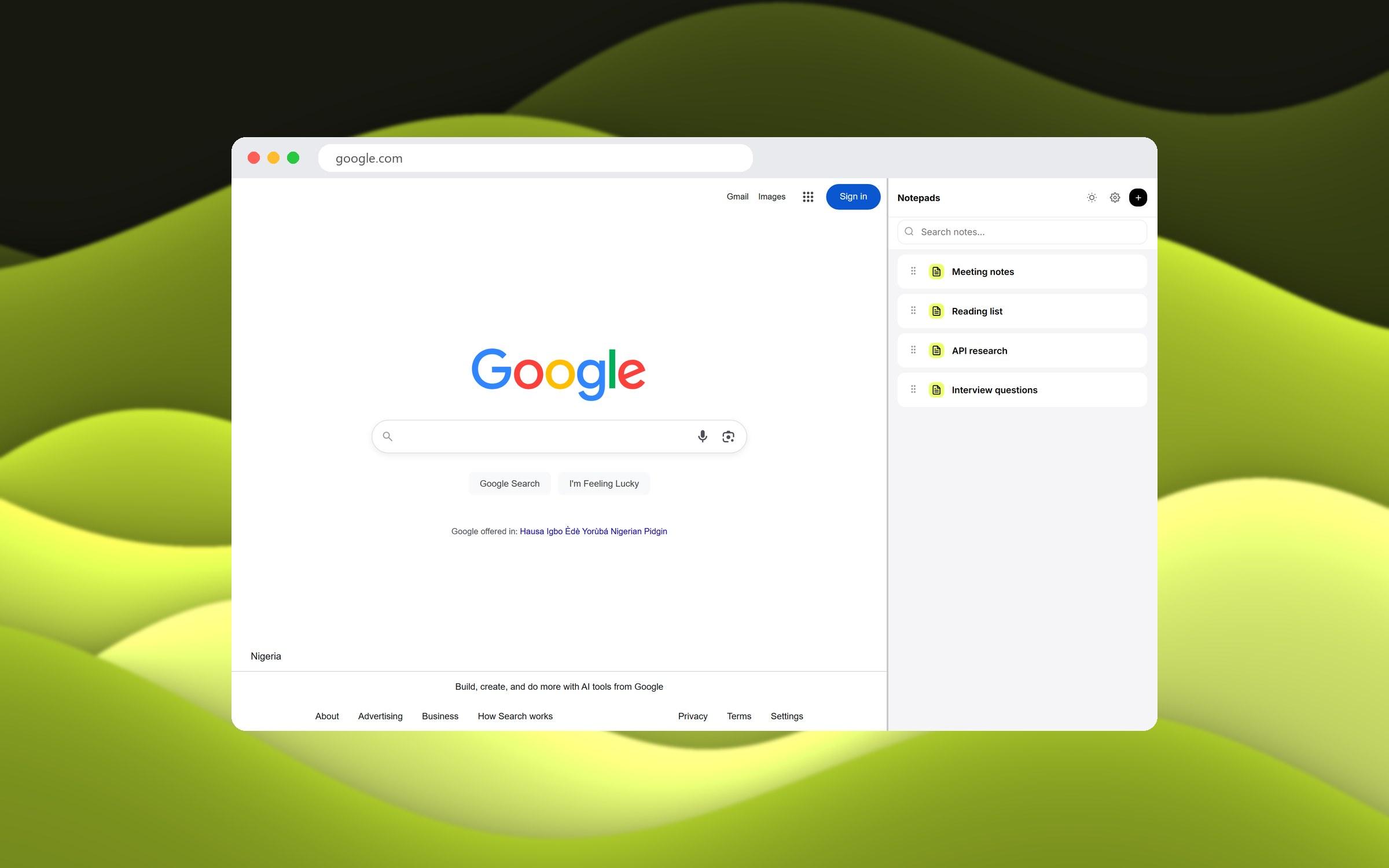
Sidebar Notepads notes list beside a web page

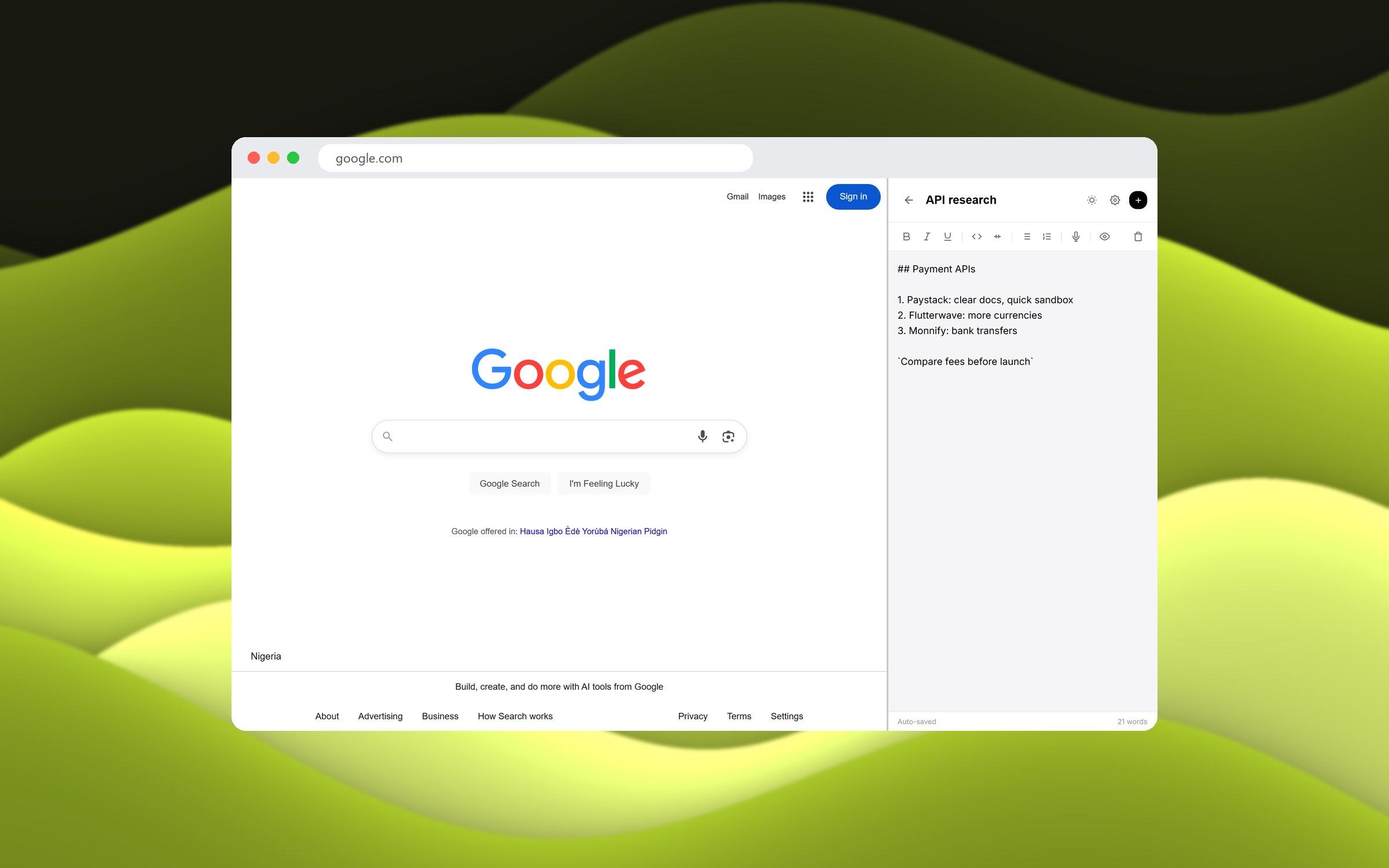
[2] Editor

Write in Markdown with a toolbar for bold, italic, code, lists and voice input. Notes save as you type.
Sidebar Notepads editor with Markdown text

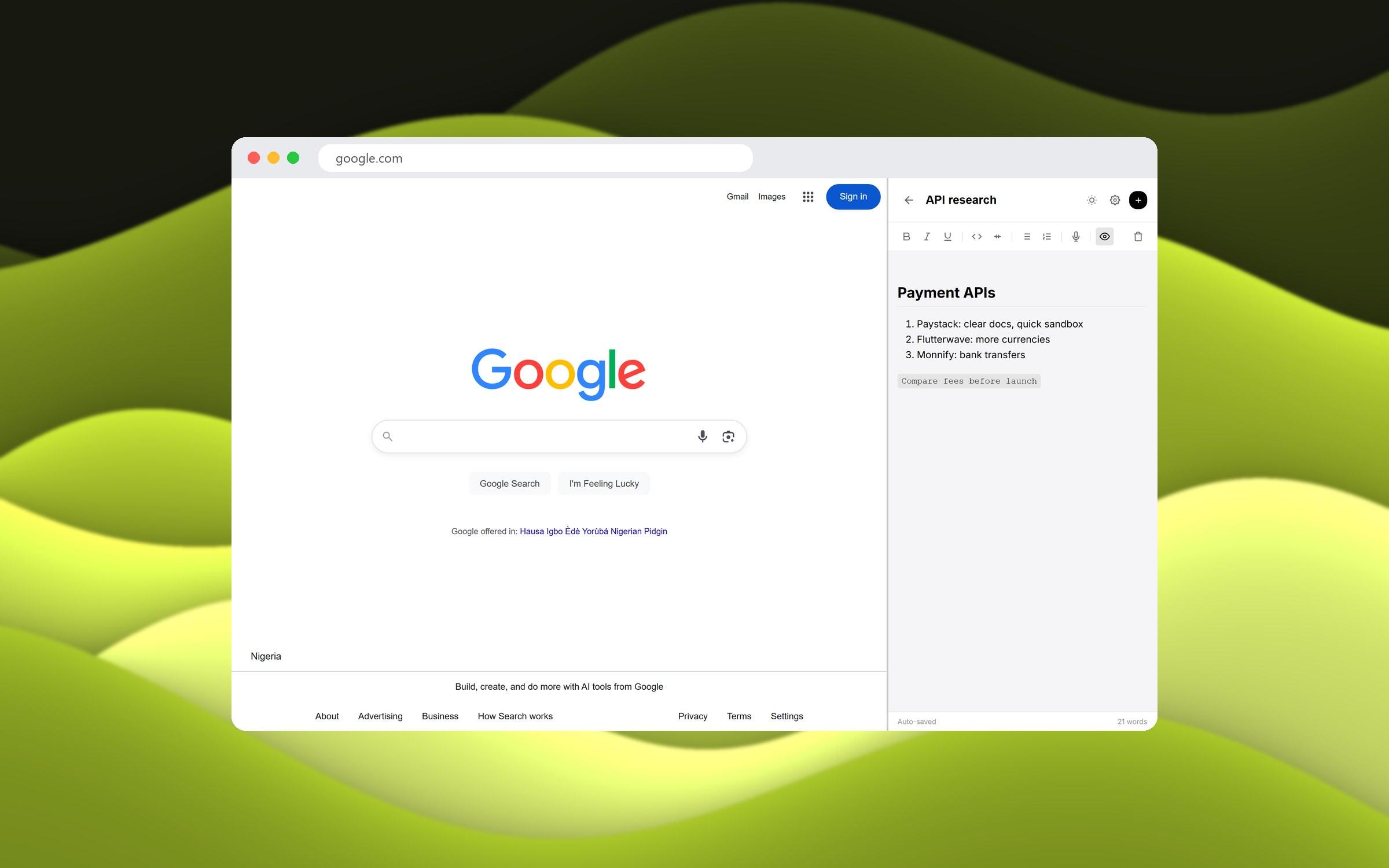
[3] Preview

Switch to preview to read the formatted note, with headings, lists and code.
Sidebar Notepads Markdown preview

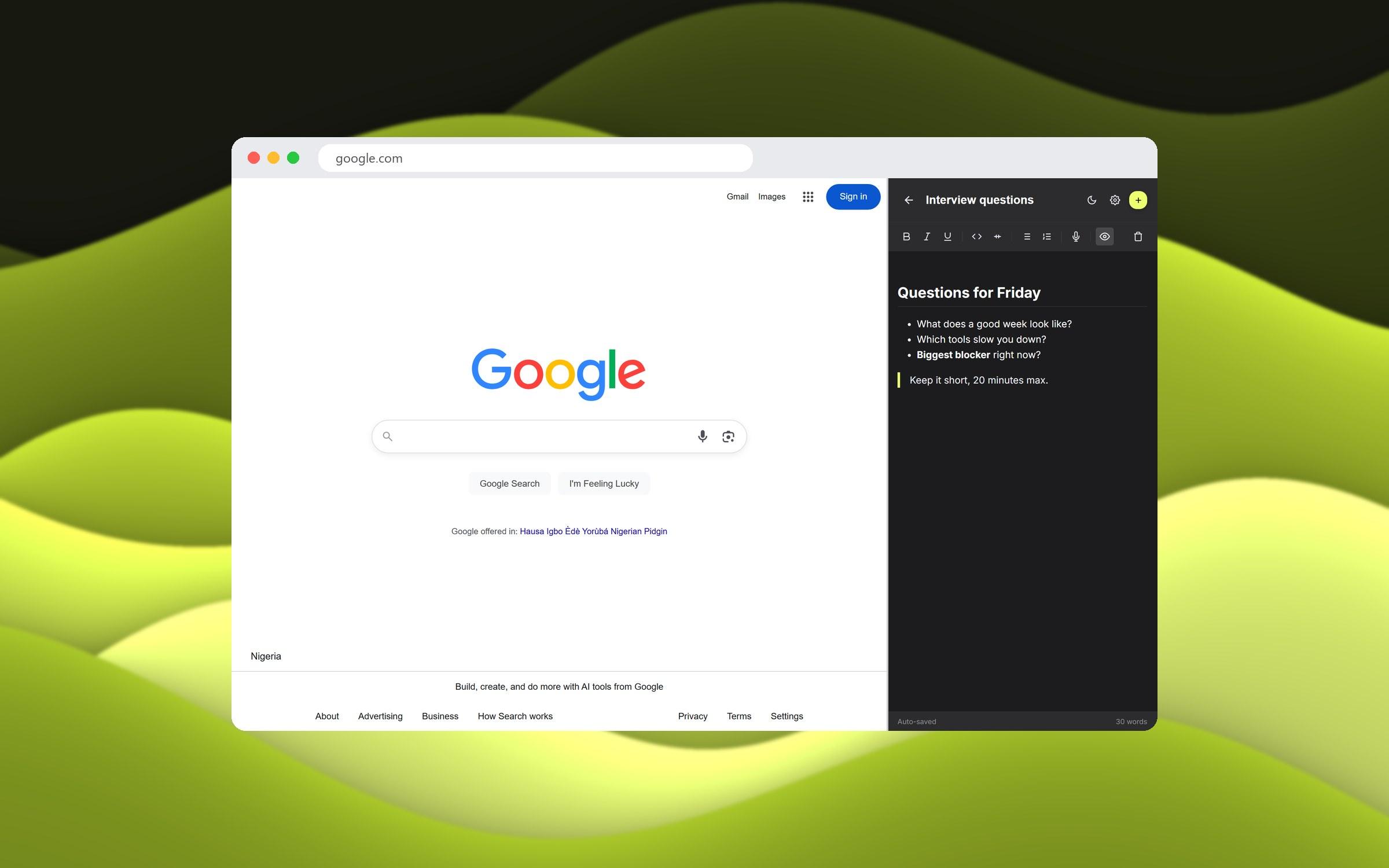
[4] Dark mode

One tap switches the panel to dark, with the same lime accent.
Sidebar Notepads in dark mode

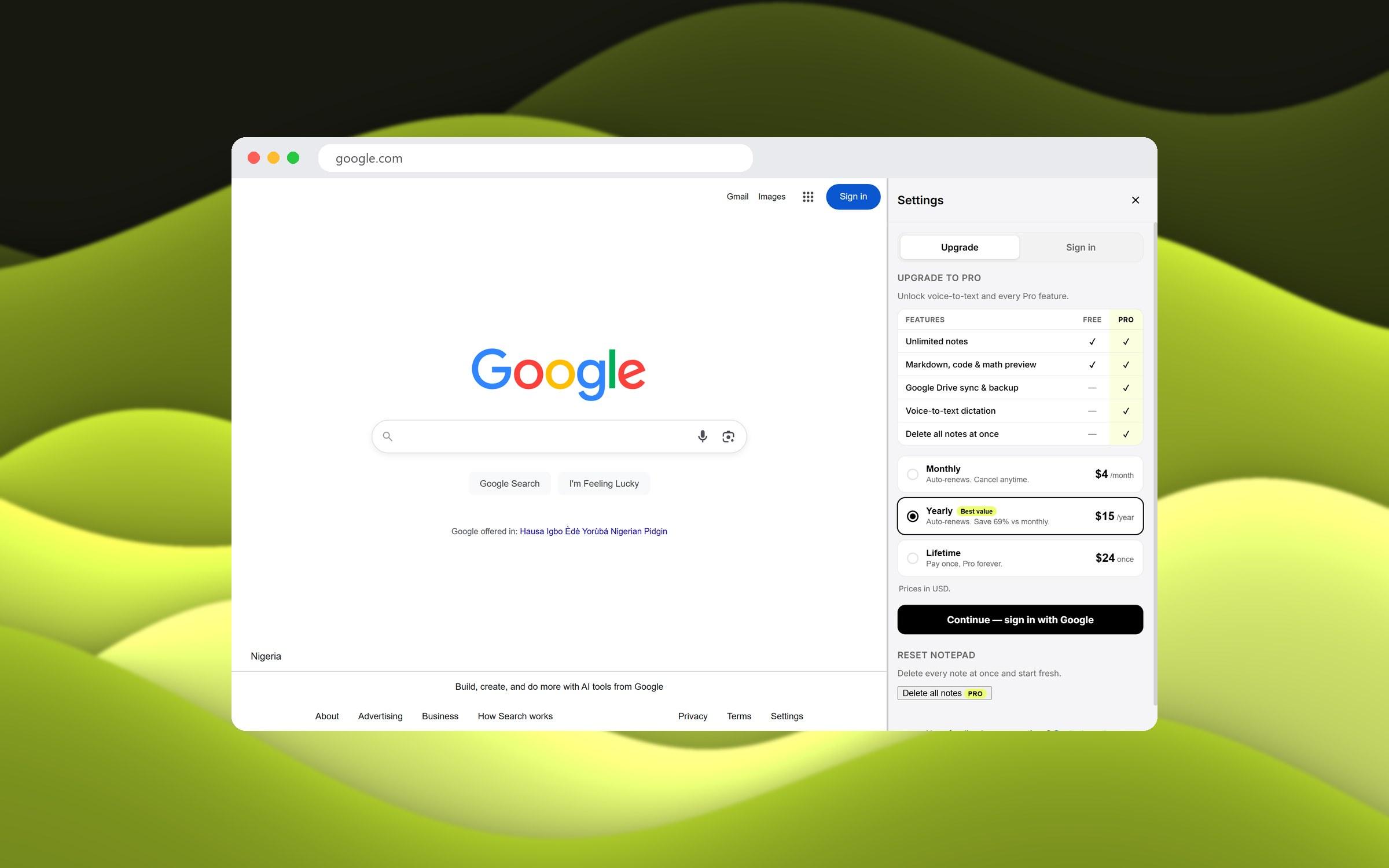
[5] Pro plan

Settings compare Free and Pro side by side, with monthly, yearly and lifetime pricing.
Sidebar Notepads settings showing the Pro plan
04

Outcome

Published on the Chrome Web Store as Sidebar Notepads PRO.

56
Users on the Chrome Web Store
4.8 / 5
Average rating
4
Ratings
v1.0.2
Current version

What I learned

I learned how easy it is to vibe code a Chrome extension and get it listed, and how hard it is to set up payment integration for one. I learned a lot about that flow.

I also learned to keep up with Google's policies. Google took the extension down once, so I fixed it to meet each requirement and resubmitted it, and I keep it updated as the rules change.
Check out other works

Profile
I'm available for Work

Have a project to design?

Hit me up if you're looking for a fast, reliable UI/UX Designer, AI Design Dev., WordPress Web Designer, SEO Content Writer - who can bring your vision to life

Profile
Ifeoluwa Ajetomobi
Designed and developed by myself